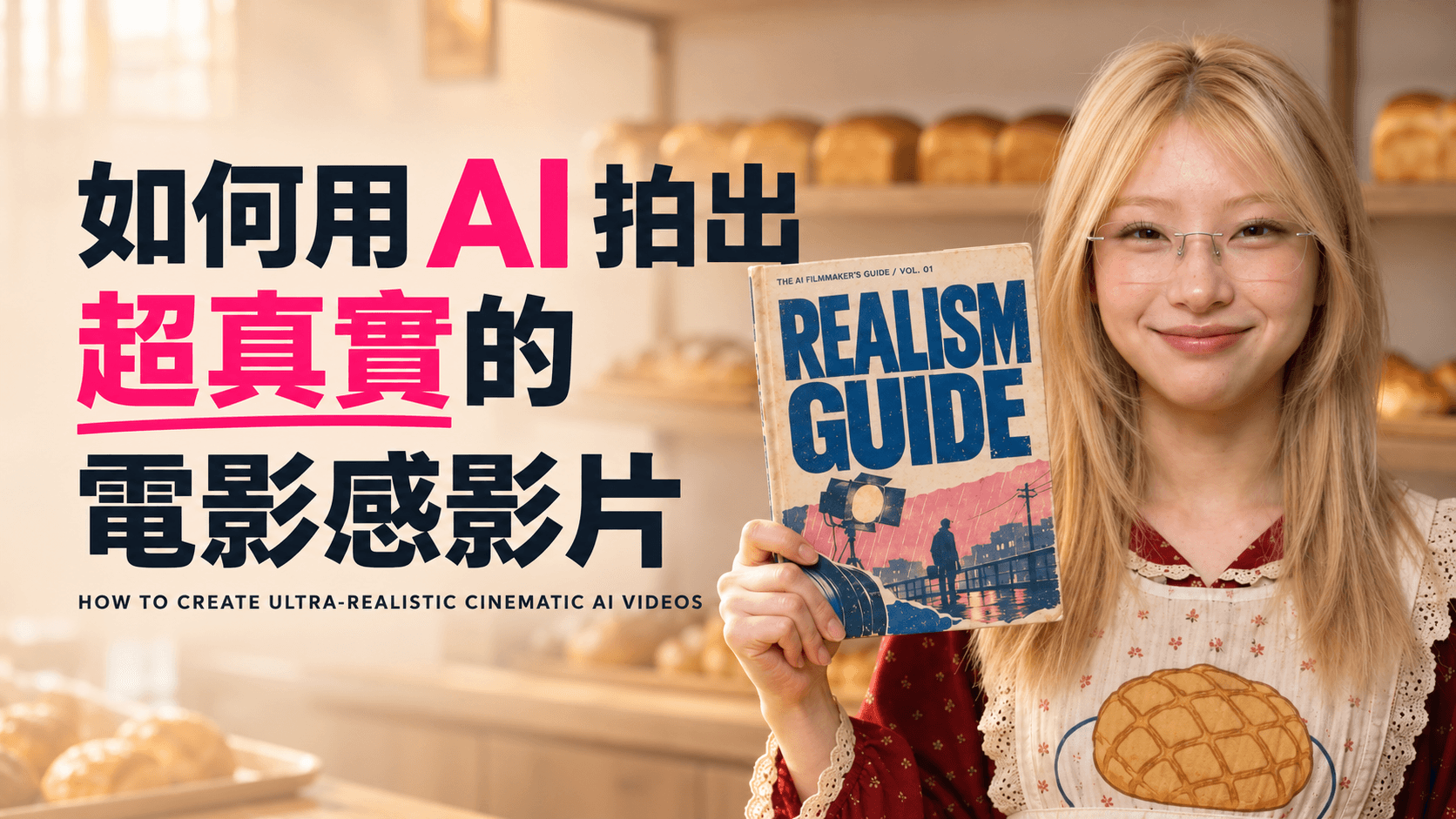
如果角色每換一個鏡頭就變臉、服裝細節忽然不同,或場景光線前後無法銜接,即使動態效果再華麗,觀眾仍會立刻察覺那是 AI 生成的影像。更穩定的做法,是先把角色、服裝、場景和重要道具逐一建立並確認,再利用這些固定素材去生成動態畫面。
以下流程以電影感圖像模型建立視覺基礎,再使用 Seedream, Nano Banana Pro 或GPT2.5 整理素材,最後交由 Seedance 2.5 製作動態。目的不只是做出一段漂亮短片,而是建立一套能重複使用的製作方式,讓多個鏡頭仍然像是來自同一部電影。
一、先鎖定角色,再開始說故事
第一步,是準備一張清楚的人像照片,或先設計一名原創角色。接著以這張圖作為身份參考,生成一份簡潔的角色設定圖,至少包括正面全身照和胸像近照。角色姿勢保持自然,背景盡量單純,光線則以柔和、均勻的棚拍光為主。
這個階段最重要的不是風格,而是準確度。仔細檢查五官、髮型、膚色、身形比例,以及眼鏡等辨識特徵是否一致。選出最穩定的一版後,把它定為整個專案的主要身份參考,之後所有鏡頭都以同一份設定圖為基準。
不要急著把皮膚修得過度完美。毛孔、細紋和些微不對稱,反而能減少塑膠感,讓角色更像真實人物。
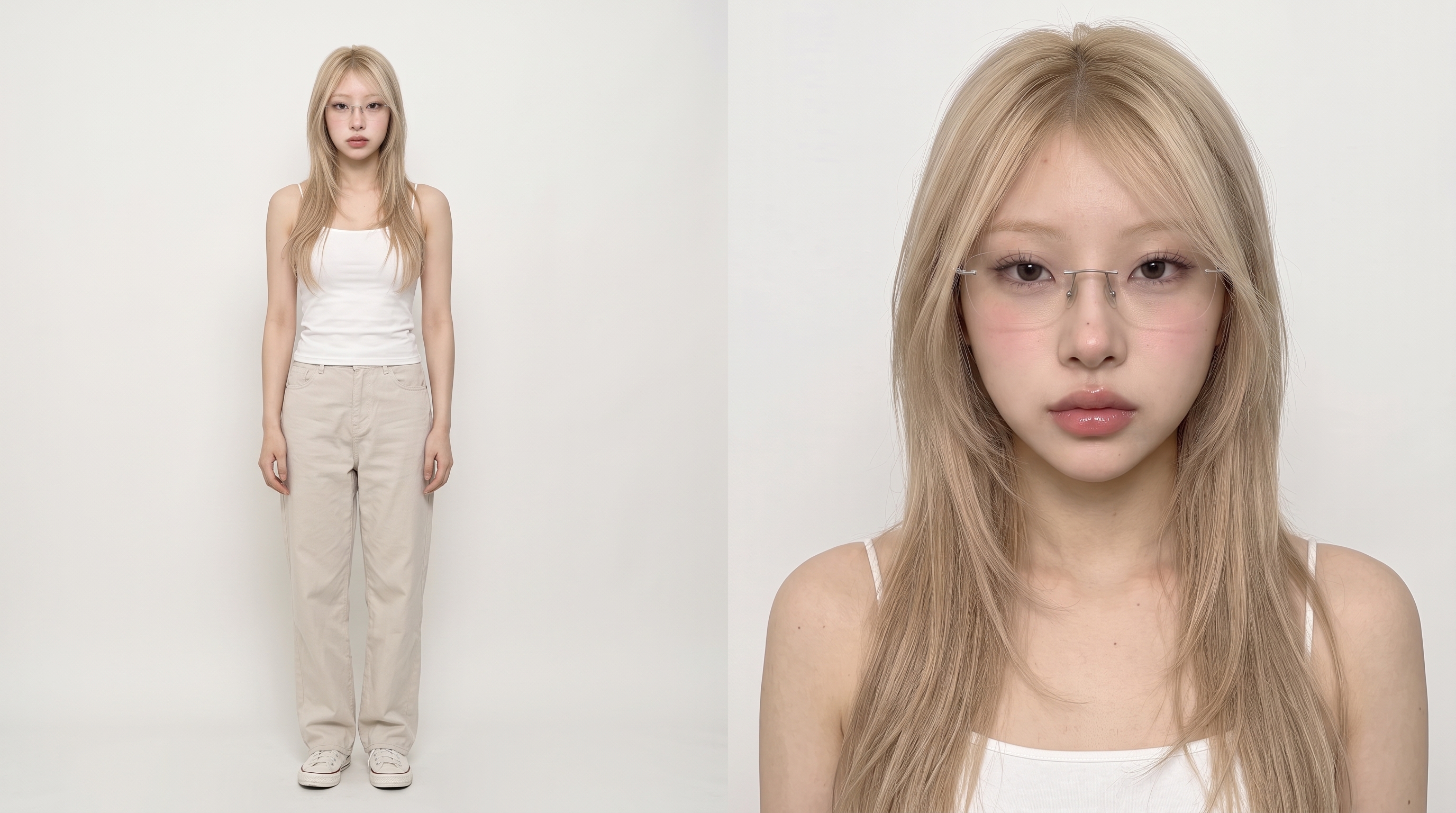
提示詞範本
Using the uploaded portrait as the identity reference, create a clean two-view photographic character sheet. Place a relaxed, full-length front view beside a chest-up portrait. Keep the person’s facial structure, hairstyle, complexion, proportions, and distinctive features identical in both views. Use simple clothing, a seamless pale background, and soft studio illumination. Retain realistic skin detail and natural asymmetry. Show the complete body and feet. Exclude accessories not found in the reference, branding, captions, and cosmetic smoothing.
二、只更換服裝,不要重新生成另一個人
角色身份穩定後,再為不同場景製作服裝版本。把已確認的角色設定圖上傳至 Seedream 或 Nano Banana Pro,清楚要求模型只替換衣著,同時保留原本的臉、髮型、膚色和身材比例。
例如,麵包店場景可以準備圍裙與工作服;機場段落可換成剪裁俐落的深色外套;超現實城市場景則可以使用更鮮明的造型。每套服裝確認後都應獨立保存,日後同一造型再次出現時便能直接沿用。
建議一次生成近照、四分之三側面和正面全身等不同角度,並使用乾淨背景。除了衣服款式,布料的重量、摺痕與質感也會直接影響真實度。
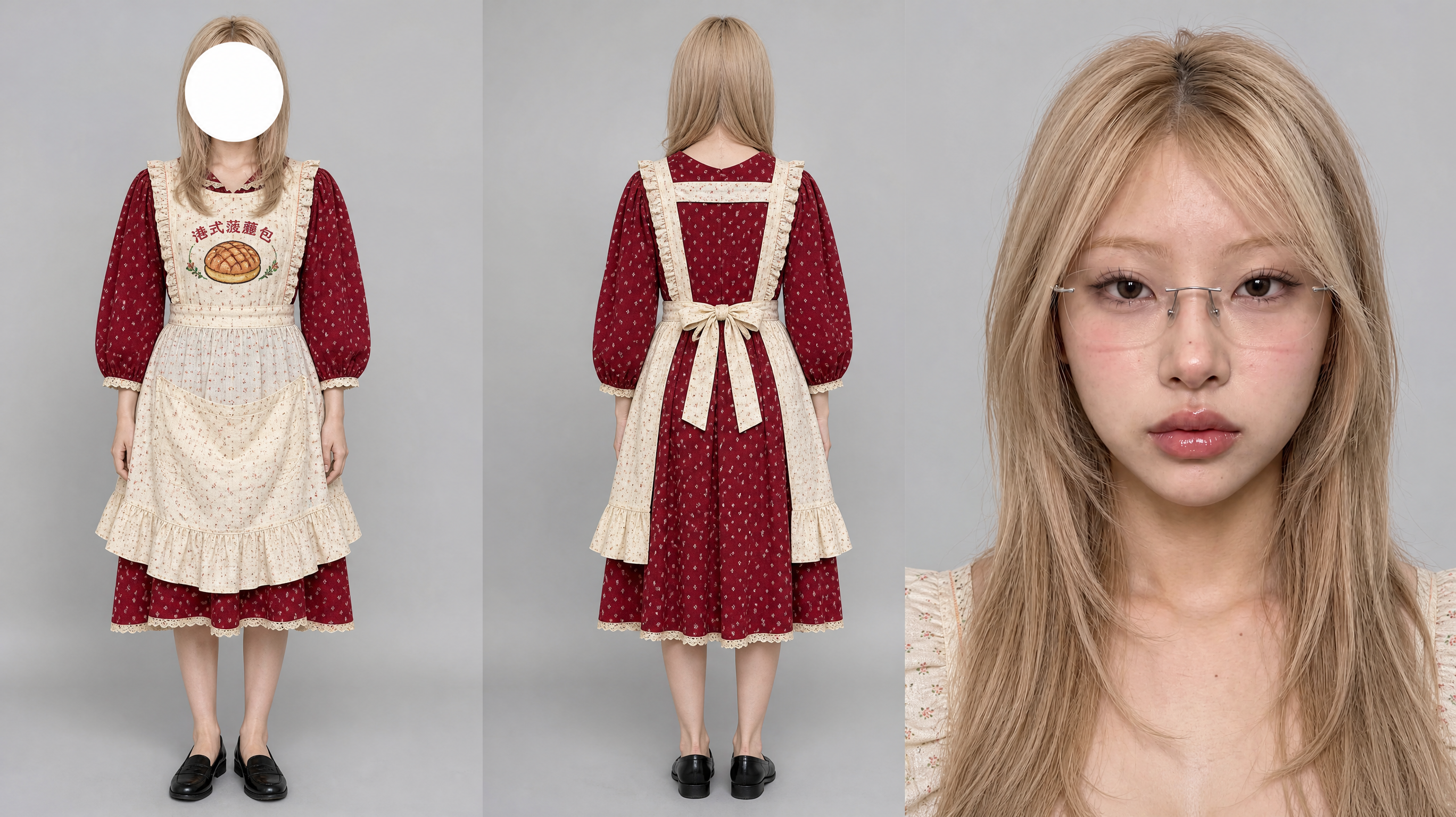
提示詞範本
Film character sheet, photorealistic commercial studio photography. Three views of the exact same person from the attached reference image 1,wearing whole outfit from image 2.standing in a row on a seamless neutral grey #B8B8B8 background: full-body front view, full-body back view, and a macro close-up portrait of the face. Identical person, outfit, hairstyle and styling in all three views, matched true to the reference photo.no ai gloss
In the full-body front view the person stands upright in a relaxed neutral pose facing the camera, head level, and a flat opaque solid white circle graphic is placed directly over the face, completely covering it from forehead to chin, like an anonymized casting photo — crisp clean circle edge, pure white fill. The full-body back view shows the person from behind, feet to head fully in frame. The macro close-up shows the face fully and clearly, looking straight into the lens, sharp focused eyes, natural skin texture with visible pores.
Soft even studio lighting with smooth falloff, clean commercial catalogue look, crisp fabric detail, accurate face, body proportions and clothing carried over exactly from the reference image.
三、先建立場景,再讓角色進場
在加入主角之前,先把每個場景獨立生成。這樣可以得到乾淨的環境參考,也能避免模型在角色身份和站位上擅自作出不必要的決定。
描述場景時,可以用攝影指導的思維來寫:交代時間、攝影機高度、光線從哪裡照進來、主要材質,以及前景、中景和背景各自有哪些元素。無論是空無一人的麵包店、雨夜東京街頭,還是機場安檢區,在人物出現前都應該已經具備空間層次和氣氛。
真實世界很少完美無瑕。適度加入使用痕跡、克制的高光、自然色差、可信的鏡頭透視和輕微顆粒,往往能讓場景更像實際拍攝,而不是乾淨得過頭的 3D 渲染圖。
提示詞範本
Generate an unoccupied [LOCATION] during [TIME OF DAY], photographed from [CAMERA HEIGHT OR ANGLE]. The primary light comes from [SOURCE AND DIRECTION] and reacts naturally with [KEY MATERIALS]. Arrange distinct foreground, midground, and background layers to create depth. Include subtle wear, grounded colour, controlled highlights, gentle film texture, and credible optical perspective. No people, text, logos, or physically impossible objects.
會重複出現的重要道具,也應該建立獨立參考圖。如果劇情依賴一扇特定的門、一只行李箱、一款糕點,就先確定其造型。需要不同版本時,最好在已確認的原圖上修改,而不是重新生成一個毫不相干的替代品。
四、只使用這段 Reel 真正需要的參考素材
這段 25 秒的 Realism Guide 麵包店 Reel,只用了五張圖片:
- *圖片 1:**開場使用的光亮菠蘿包。
- *圖片 2:**片尾出現的 Realism Guide 封面。
- *圖片 3:**真實菠蘿包,控制酥皮、碎屑和鬆軟內部。
- *圖片 4:**黑髮顧客的身份與服裝。
- *圖片 5:**金髮店員的身份與制服。
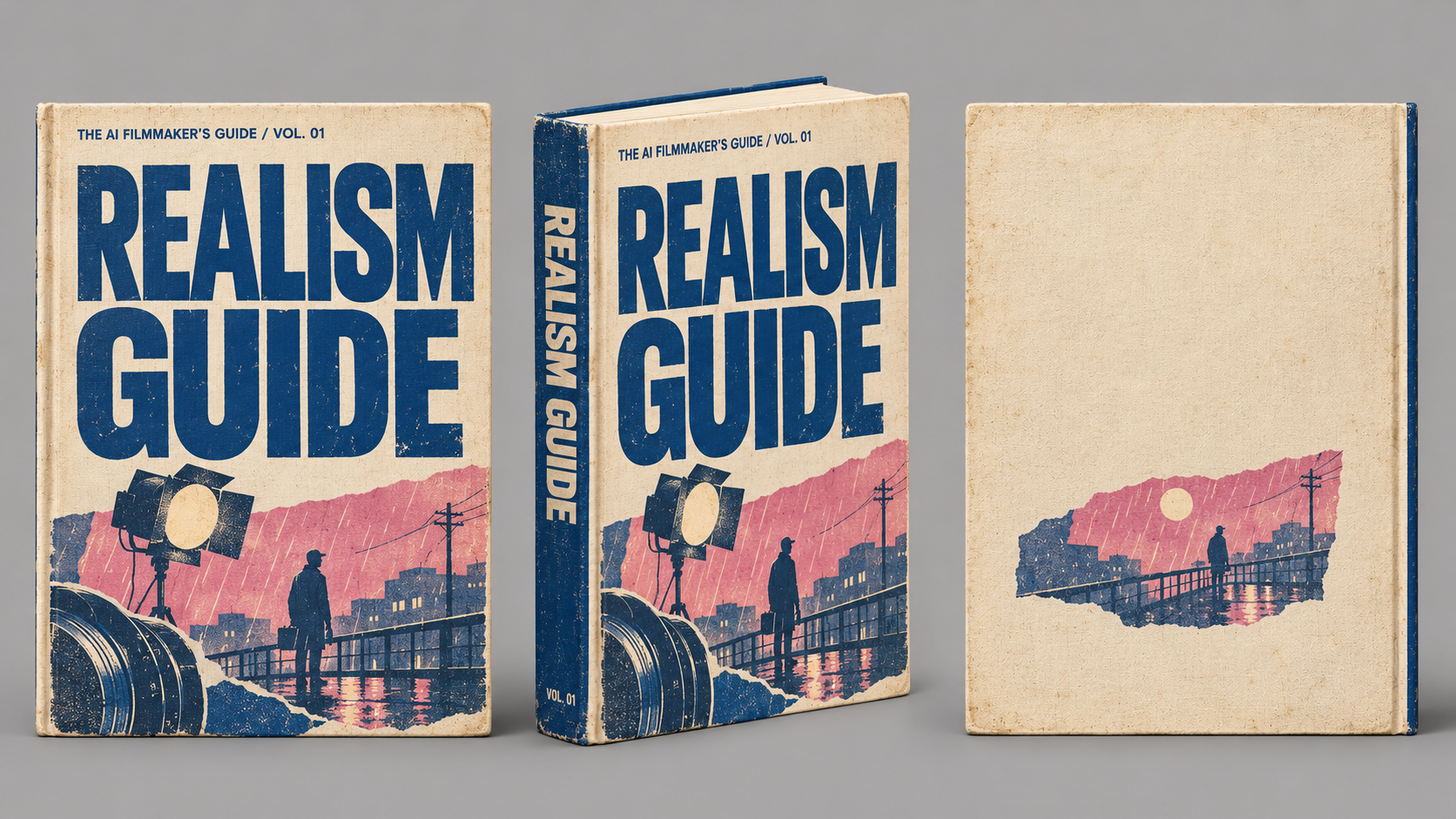
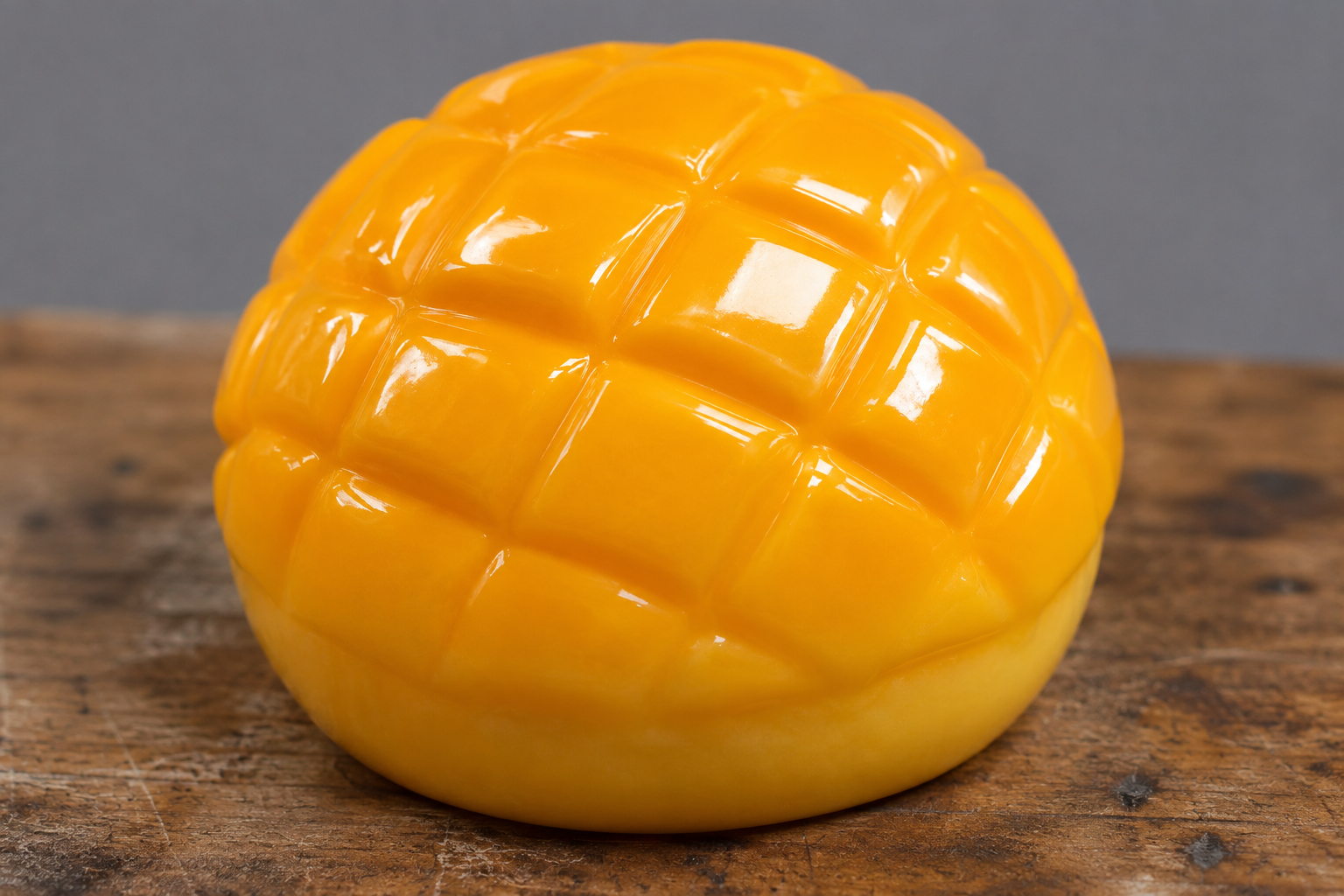
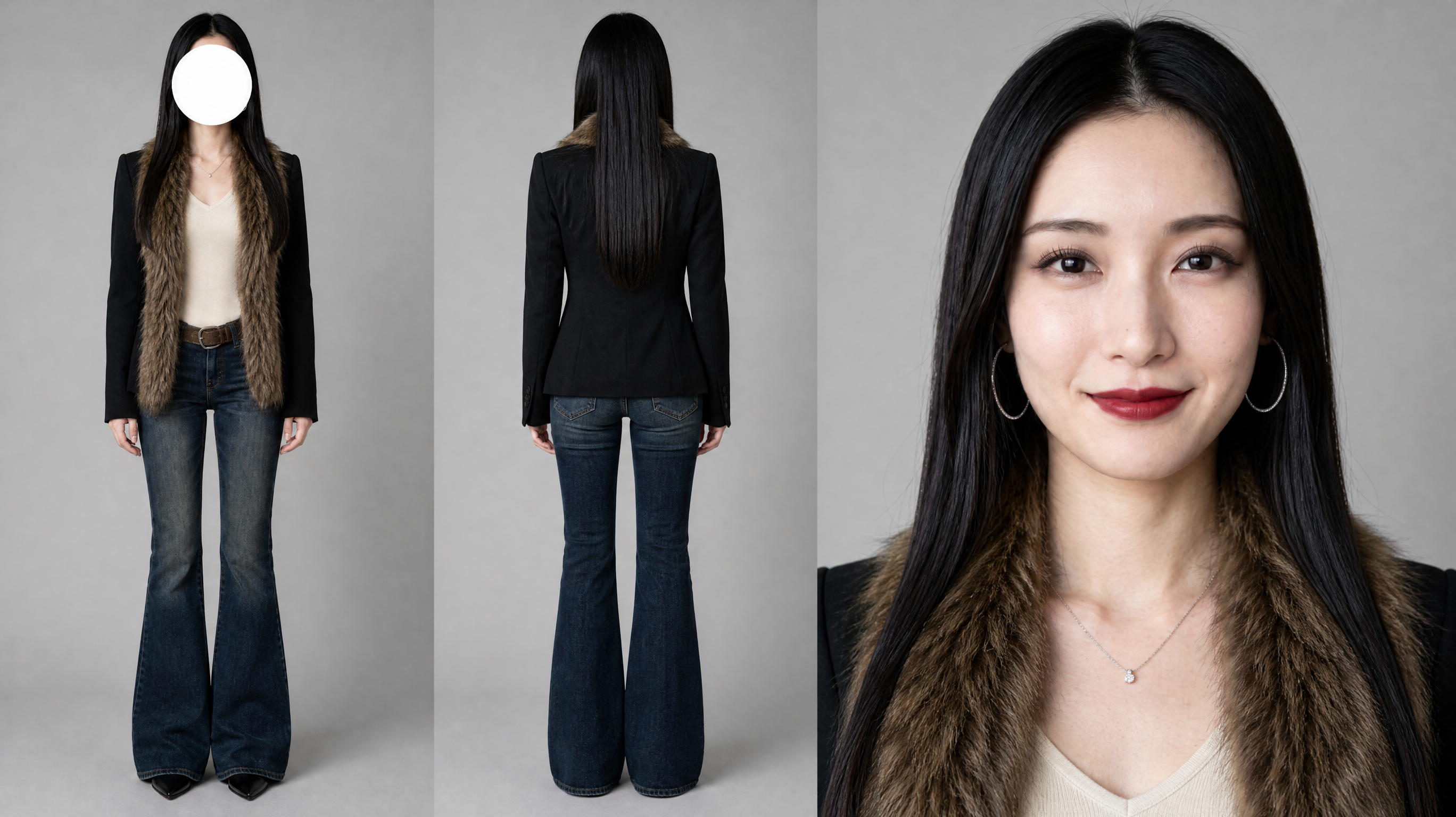
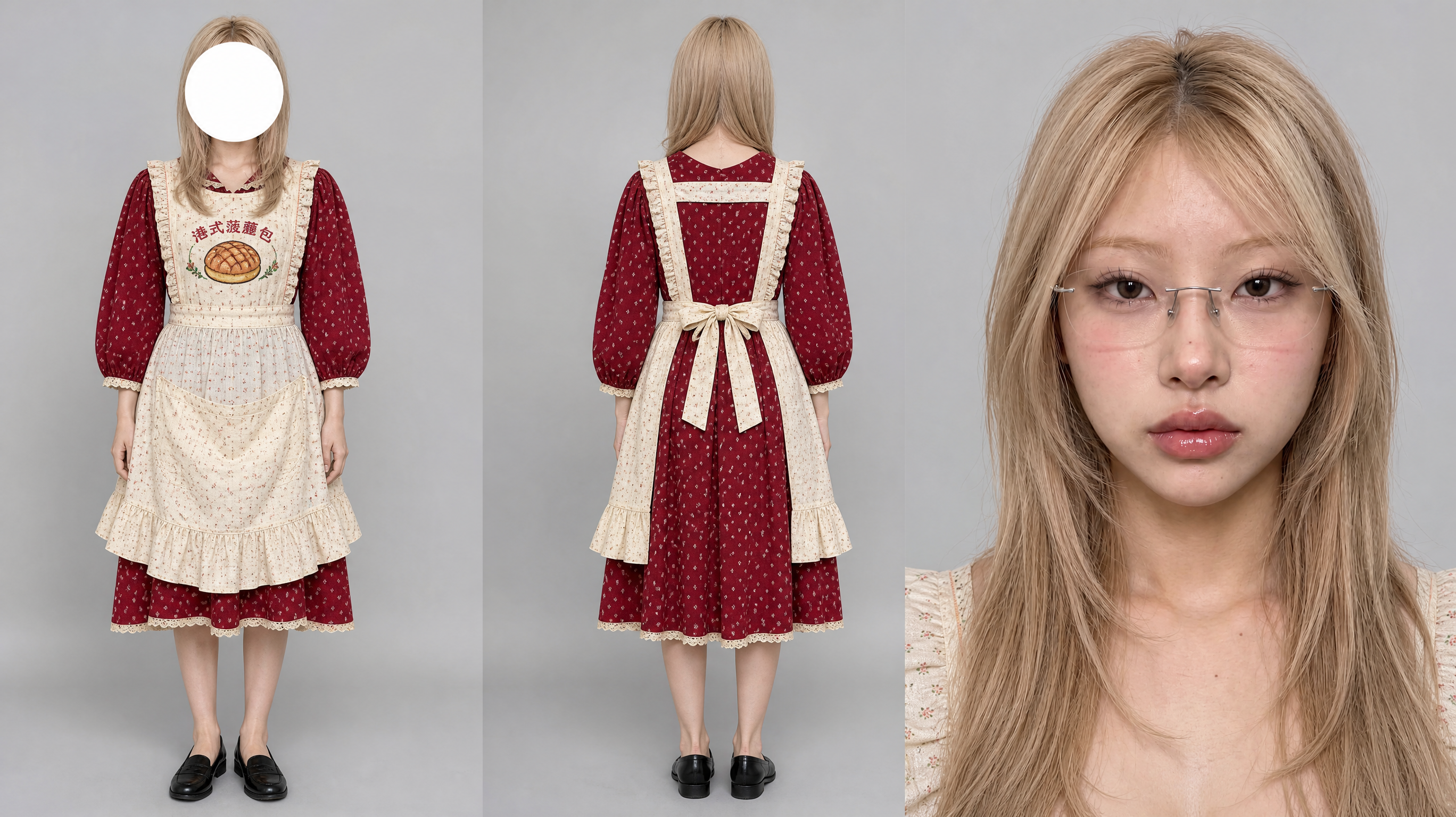
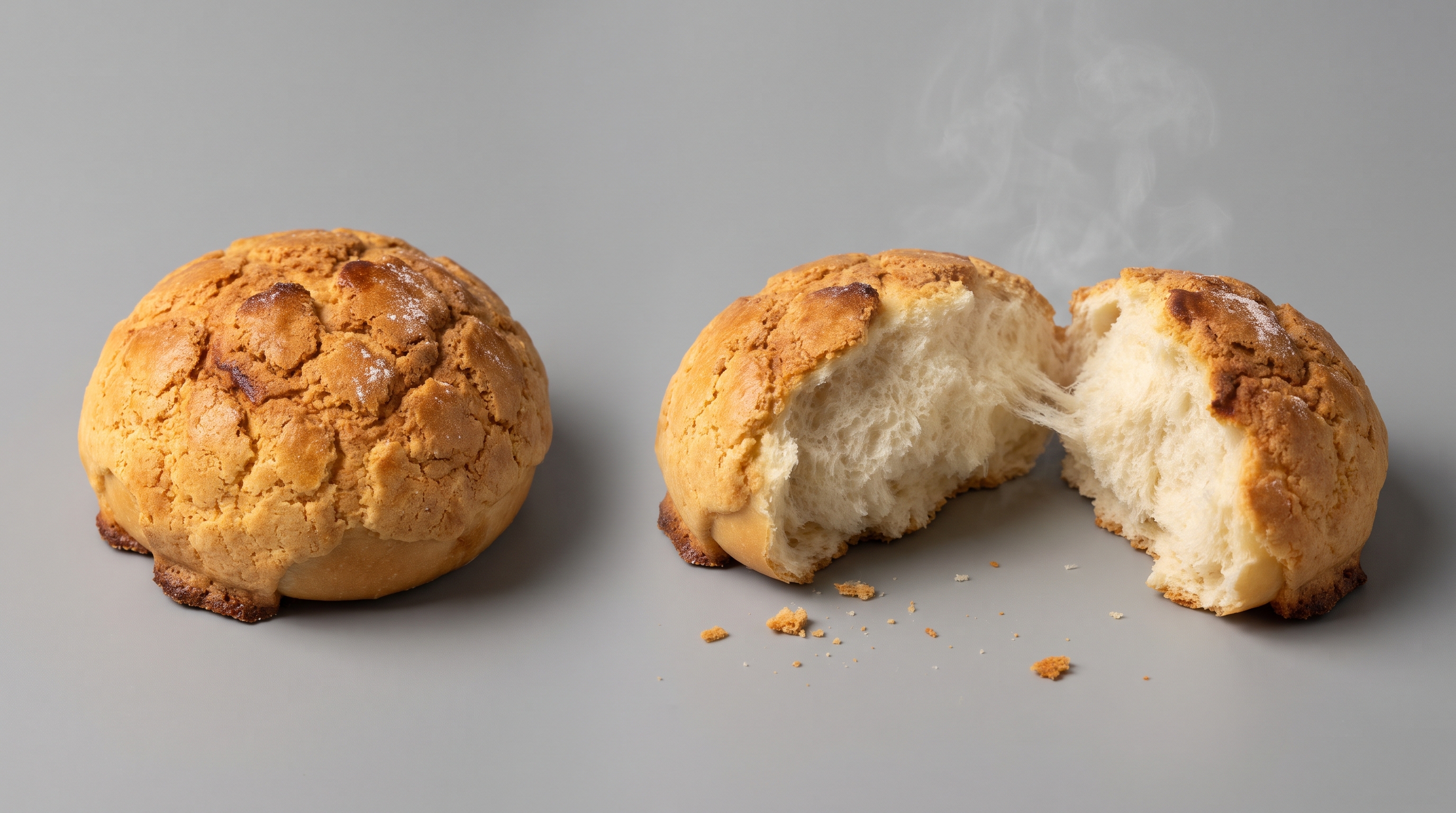
製作時沒有提供麵包店場景圖,也沒有使用參考影片;提示詞只描述一間溫暖、自然的麵包店,讓 Seedance 自行建立環境。對只有一個主要場景的短 Reel 來說,省略場景參考有時反而更真實,因為模型可以自行統一光線、透視與人物站位。只有在多個鏡頭或場次必須沿用同一個精確空間時,才需要加入場景圖。
成片由顧客檢查光亮菠蘿包開始,接着由店員換上真實菠蘿包,再以特寫呈現酥皮碎裂、顧客試吃,最後由店員展示 Realism Guide。重點很簡單:每張參考圖只負責一件事;參考素材越多,不代表畫面越真實。
五、在 Seedance 中把動作拆成清楚的節拍
所有圖像素材確認後,就可以進入 Seedance,並附上該鏡頭需要的參考資料。先說明每張圖分別控制身份、服裝、場景、道具或構圖,再描述演員動作、攝影機運動、光線變化和聲音設計。
時間節拍非常重要。與其只寫「做出有電影感的運鏡」,不如把整段動作拆成幾個能在影片時長內完成的簡單步驟。若有對白,也要控制在角色能自然說完的長度。構圖需要精準時,可直接指定固定鏡位,或只保留極輕微的手持漂移。
每完成一個場景,就先檢查並確認,再繼續下一鏡。若後續畫面必須無縫銜接,可從已通過的影片中擷取一幀作為新參考。這種做法能把前後鏡頭串成一條視覺鏈,減少模型重新設計角色位置與空間關係的機會。
25秒Reel 提示詞示例
[REFERENCE ASSETS]
@image1 is the real pineapple bun. Reference its cracked sugar crust, the crispy dark-brown burnt edge around the base, the soft fluffy white cross-section when torn open, the stretchy bread strands and the steam. Do not reference its grey background.
@image2 is the plastic-looking pineapple bun. Reference only the bun itself — glossy, smooth, plastic-like yellow surface. Do not reference the dark wooden table or the grey background beneath it.
@image3 is the customer, a woman with long straight black hair. Keep her face, hairstyle, red-lip makeup, large hoop earrings, necklace, black blazer, brown fur collar, cream V-neck knit top, belt and dark-blue flared jeans exactly as shown. Same outfit throughout.
@image4 is the bakery staff, a woman with long blonde hair and rimless glasses. Keep her face, hairstyle, glasses, red floral dress and cream ruffled apron exactly as shown; the embroidery on the apron stays unchanged. Same outfit throughout.
@image5 is the guide book, a cream vintage-paper hardcover. Keep its cover design exactly: large navy-blue title "REALISM GUIDE", small text above "THE AI FILMMAKER'S GUIDE / VOL. 01", pink and navy rainy-night street illustration, navy-blue spine. Cover text stays sharp, unchanged and correctly spelled.
Both women have normal human eyes; no glowing eyes. No BGM, no music at all.
[LOCATION]
A small, warm bakery decorated entirely in light natural wood: a light oak counter, light wooden shelves holding trays of freshly baked pineapple buns and loaves, off-white walls, and a large wood-framed window at the back left of the frame. Natural morning sunlight slants in through the window, casting soft patches of light on the wooden counter, with faint light beams and floating dust in the air. A light wooden cutting board sits on the counter.
[MASTER COLOR TONE]
Light wood, creamy off-white and warm gold dominate. Sunlight is a soft warm-gold side backlight; shadows are clean light brown, never black. Overall bright, airy and warm, low contrast, slight soft glow and fine film grain, like a premium bakery brand's cinematic commercial. Natural highlights on the edges of the bun crust; soft window light on the faces.
[SHOTS]
Shot 1 (0-1s): 50mm medium close-up, eye level. The customer @image3 stands at the counter on the left of frame, pinching a plastic-looking pineapple bun (@image2) between two fingers and holding it up beside her face. Eyes narrowed, brows slightly furrowed, head tilted, corners of her mouth turned down. Customer (skeptical, rising intonation): "Wait… is this AI?" Light-wood shelves softly out of focus behind her.
Shot 2 (1-2s): 100mm macro close-up, shallow depth of field. The customer's fingers pinch the plastic-looking bun (@image2) and turn it slightly; the surface is bright yellow, smooth and shiny like a toy. Her fingernail taps it with a hollow plastic click. Soft-focus light-wood bakery behind.
Shot 3 (2-4s): 35mm over-the-shoulder shot. Foreground: the customer @image3's shoulder and long black hair, out of focus. Across the light-wood counter, the staff @image4 looks calm with a slight confident smile and reaches out to take the plastic bun from the customer's hand. Staff (calm, casual): "Hand it over."
Shot 4 (4-5.5s): 100mm macro, camera low at eye level with the light-wood cutting board. The staff's fingers press down on the plastic bun on the board; the instant she presses, it transforms into a real pineapple bun (the whole bun on the left of @image1): the crust cracks into irregular patterns and crumbs burst out onto the board. Staff (off-screen, light and upbeat, like pointing it out to a friend): "Crumbs."
Shot 5 (5.5-7s): 100mm macro, low angle close to the board, camera slowly trucks right. The staff's fingers gently rotate the bun, revealing the crispy dark-brown burnt edge around its base (reference the burnt base edge in @image1), sunlight from the left hitting the edge. Staff (off-screen, confident, a little proud): "Crispy, burnt edges."
Shot 6 (7-8s): 100mm macro. The staff's thumb presses into the soft side of the bun; it sinks in, then slowly springs back, leaving a faint thumbprint as a few crust crumbs fall. Staff (off-screen, soft, slower): "Press it — it bounces back."
Shot 7 (8-9.5s): 100mm macro, backlit. The bun rests on the board; fresh white steam rises slowly from the cracks in the crust and drifts through the golden sunbeams. Staff (off-screen, with a pleased little smile in her voice): "Still steaming."
Shot 8 (9.5-10.5s): 35mm side wide shot, backlit, window behind, sunlight flooding in. The staff @image4 leans slightly over the counter and slides the bun toward the customer; the customer @image3 stands on the left of frame looking down at it. Warm rim light on both. No dialogue, bakery ambience only.
Shot 9 (10.5-13.5s): 100mm macro, 45-degree top-down angle. The customer's hands slowly tear the pineapple bun in half; the crust crackles and crumbs fall onto the board, the soft white bread stretches into fine strands, and wisps of steam rise. The cross-section matches the torn halves on the right of @image1. No dialogue, only tearing and crackling sounds.
Shot 10 (13.5-14s): 85mm side-profile close-up. The customer @image3 lifts half the bun and opens her mouth wide to bite, eyes eager. A small intake of breath.
Shot 11 (14-16s): 85mm side-profile close-up. The customer closes her eyes and bites; the crust crunches audibly. She chews slowly, brows relaxing, the corners of her mouth lifting into a satisfied smile, crumbs falling onto her lips and fur collar. At 15s, customer (eyes closed, savoring it while chewing, drawn-out hum): "Mmm…"
Shot 12 (16-18s): 50mm frontal medium shot, the staff's shoulder out of focus in the right foreground. The customer @image3 has crumbs on her lips and fur collar, eyes wide, mouth slightly open, leaning back a little. Customer (amazed, can't believe it, slightly fast): "How did you make that?"
Shot 13 (18-19.5s): 35mm over-the-shoulder shot, the customer's shoulder and black hair out of focus in the foreground. The staff @image4 pulls the guide book (@image5) from under the counter and holds it at chest height, cover facing the customer and the camera, "REALISM GUIDE" clearly legible. Staff (confident smile, matter-of-fact, a little smug): "It's all in the guide."
Shot 14 (19.5-21s): 50mm frontal medium shot. The customer @image3's eyes light up; she leans forward slightly, hands resting on the counter. Customer (eager, impatient): "Where can I get it?"
Shot 15 (21-25s): 50mm medium close-up, slow push-in. The staff @image4 turns to look straight into the camera, holding the guide book (@image5) beside the right side of her face, cover facing the camera, "REALISM GUIDE" clearly legible with no glare. Staff (to camera, warm and enthusiastic, like sharing a secret with the viewer): "Comment JIF and I'll DM you the full guide." After the line she smiles at the camera and holds for about 1 second.
[SOUND]
Audio keeps only the characters' voices, action sound effects and ambience. No BGM: no music, background music, score, instrumental, melody, synth, ambient pad, drone, crescendo.
Sound effects: soft bakery ambience, plastic tapping, crust crackling, the soft press of a thumb into bread, bread tearing, a crunchy bite and chewing.
[GLOBAL CONSTRAINTS]
No subtitles and no extra text other than the text on the @image5 book cover. Both characters' faces, hairstyles and outfits stay consistent throughout; they never swap or duplicate. The crumbs on the customer's lips and fur collar remain from Shot 11 onward. The bun is plastic-looking only until the press in Shot 4; after that it is always a real pineapple bun and never turns back into plastic. Sunlight always comes from the left of frame. Natural, undistorted fingers; no glowing eyes; no extra people; no watermark. Once again: no BGM, no music of any kind.
六、用剪接師的眼光檢查,而不是只看提示詞
每次都要以正常速度看完整段影片,不要只憑單一畫格判斷。檢查角色是否變臉、腳掌是否滑動、身體有沒有離開椅子或地面、比例是否忽大忽小、燈光是否跳動、道具是否變形,以及聲音是否真的屬於該空間。
出現問題時,應針對那一項失敗作出修正。例如指定鎖定鏡位、要求手掌維持原位,或明確禁止椅子移動。這種精準修改,通常比把整段提示詞全部重寫更有效。
只有在角色身份、物理接觸、光線、前後連貫性與聲音都能從頭到尾保持穩定後,才輸出最終 MP4。
結語
AI 影片的真實感,並不只靠一段華麗的提示詞,而是來自嚴謹的連貫性管理。先建立可信的角色,為不同場景準備固定服裝和環境素材,替重要道具建立專屬參考,再把動作拆成簡單而清楚的節拍。當你把圖像生成視為前期製作,把 Seedance 視為正式拍攝階段,多個 AI 鏡頭才有機會真正連成一部完整、有設計感而且具電影氣氛的作品。