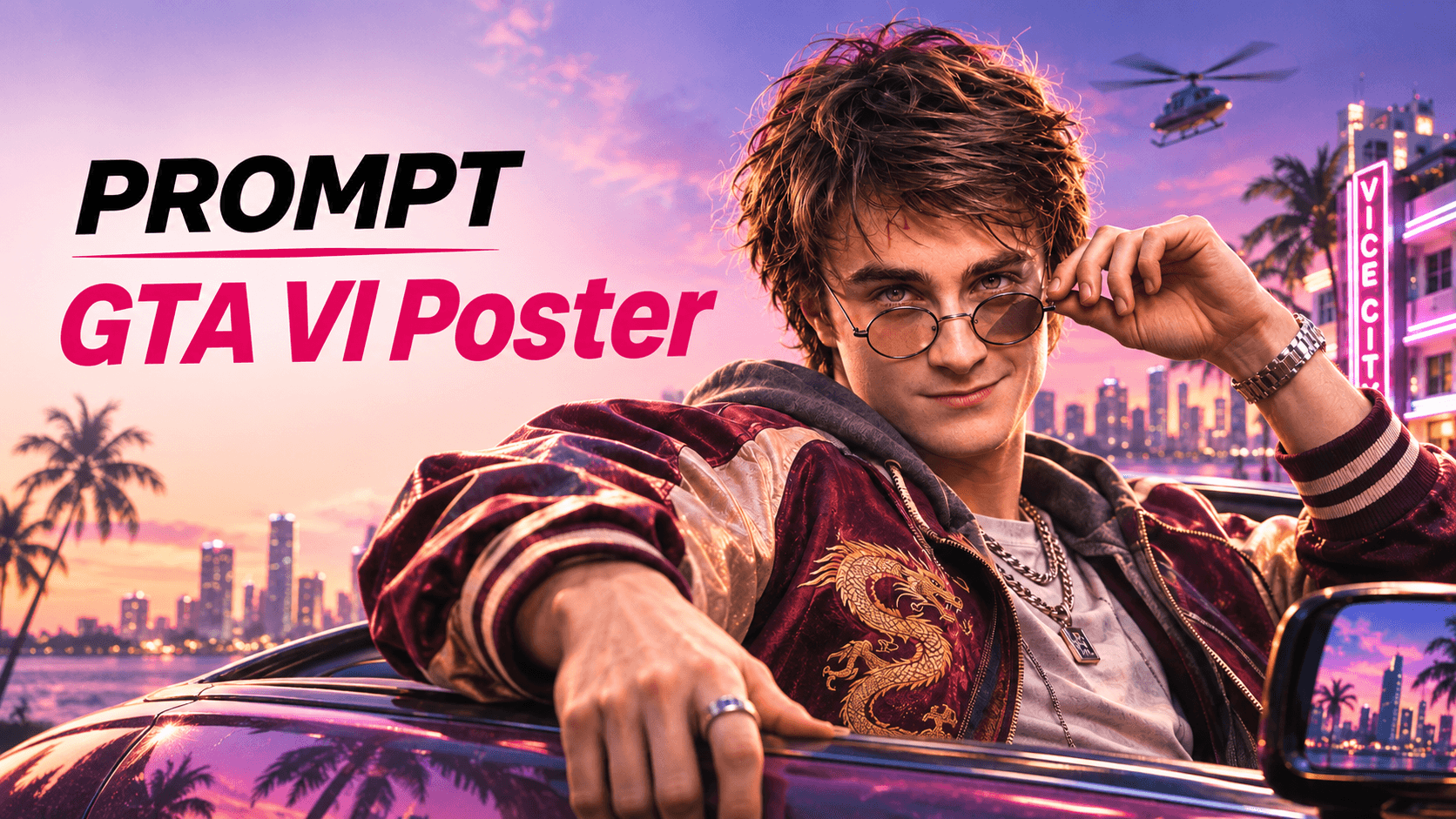
第一步:打開 JifChat Canvas,上傳參考角色
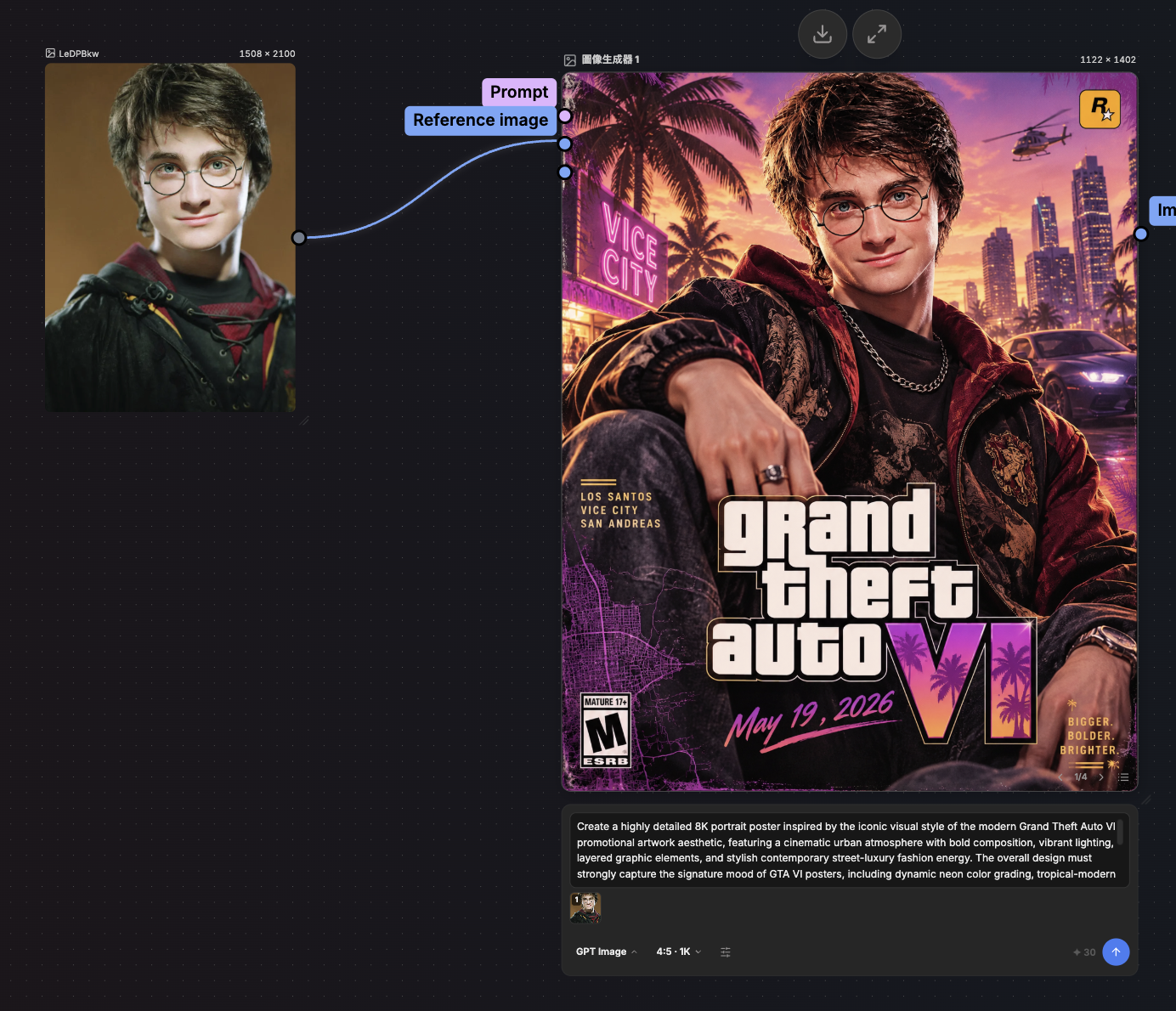
進入 JifChat Canvas,開一個新畫布。上傳一張清楚的人物照片,就是你想變成 GTA VI 主角的那個人。正面、光線好的臉部照片效果最好。
第二步:新增圖片生成器
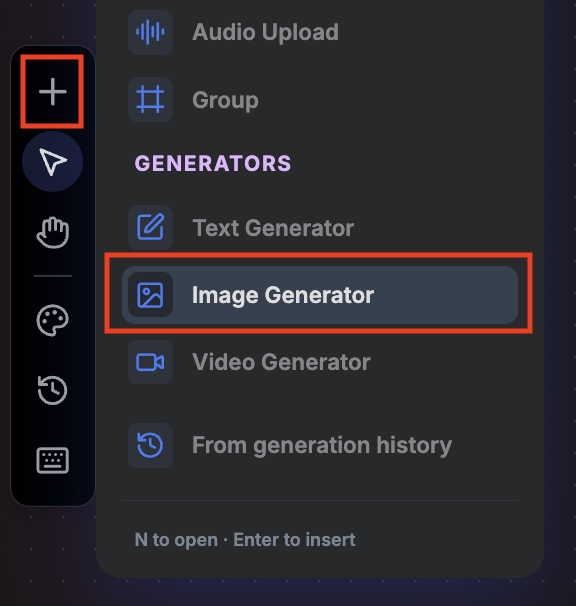
點「+」按鈕,新增一個圖片生成器,再把參考圖連接上去。
- 模型:GPT2
- 尺寸:4:5
第三步:貼上 Prompt,按下 Run
Create a cinematic GTA VI-style fan poster using the person in the reference image. Keep their face, identity and features exactly the same.
the character leans out of a classic convertible on a neon-lit Vice City boulevard at sunset. Pink-purple sky, palm trees, Art Deco hotels with neon signs, a city skyline over the water, a helicopter in the distance.
ultra-realistic AAA game key art, semi-realistic with subtle stylization, warm golden-hour highlights, teal shadows, glossy reflections on the car, rich skin texture, shallow depth of field.
an 80s Miami look, such as a satin bomber jacket with embroidery, gold chains, a luxury watch and sunglasses.
a large bold "Grand Theft Auto VI" style title in the lower center, a pink brush-stroke banner reading "November 19, 2026", a small "WORLDWIDE RELEASE" line underneath, a pop-art mural of the character on a wall to the left, and a neon "Vice City" sign in the bottom right.
Vertical 4:5 movie poster composition, sharp, polished, high detail.
就這麼簡單!按下 Run,30秒內海報就生成好了!