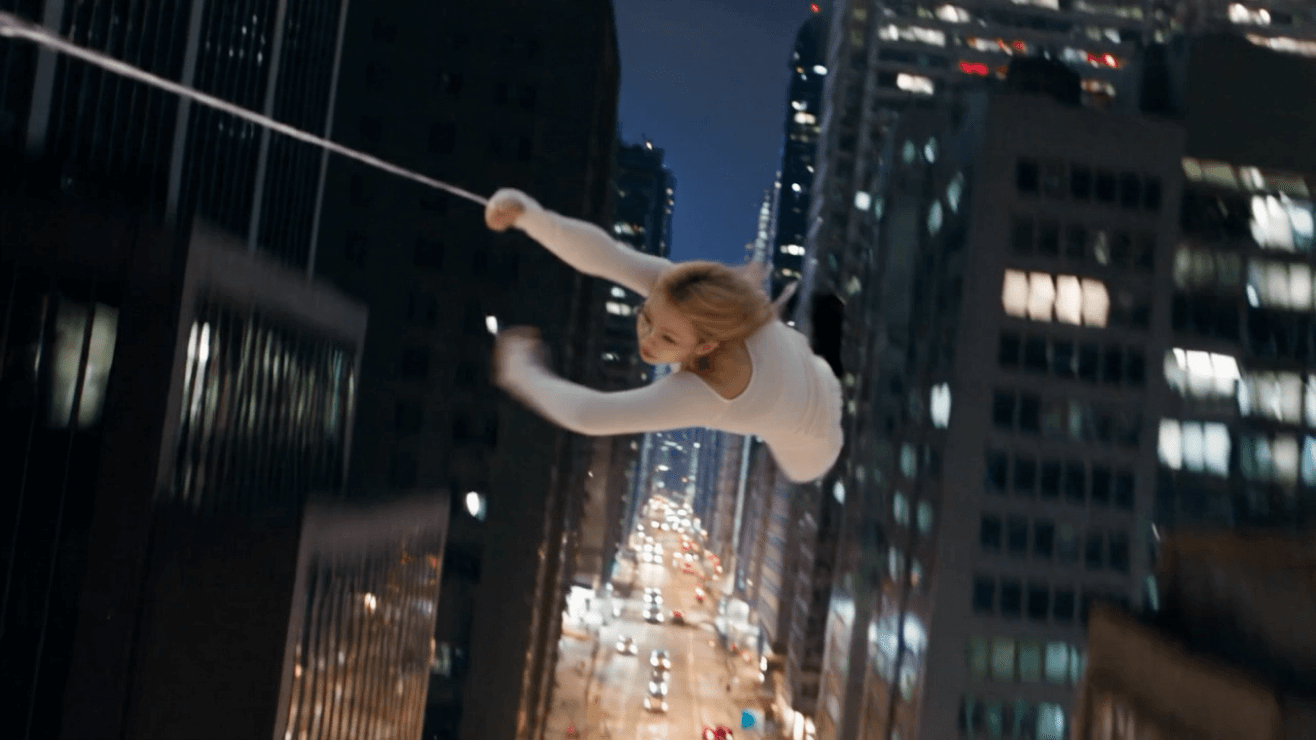
The biggest problem with AI video isn't that the visuals aren't pretty enough; it's that the character never does the movement you want. Now, with just one reference video, you can make a character follow your movements directly.
Right now there's a JifChat Mid-Autumn Festival special: just $90 for the first month! If you've been wanting to test Seedance2.5 or other top-tier AI models, this is a great time to try the workflow below.
Prepare a character reference image
Start with a clear photo of your character.
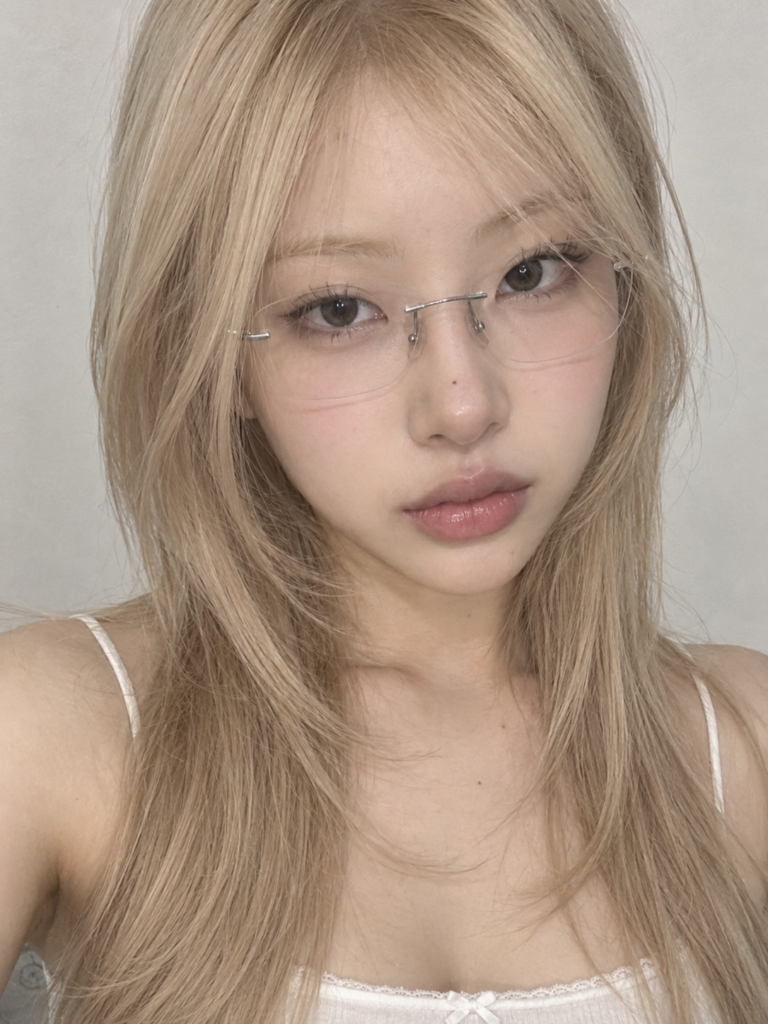
Tips:
- Front-facing or close to it
- Face clearly visible
- Facial features not covered
- Hairstyle clearly visible
- Natural lighting
- The higher the resolution, the better
This image will later serve as:
@Image1 | Character identity reference
Create a Character Sheet
Upload the character photo to an image generation tool, then enter the prompt below.
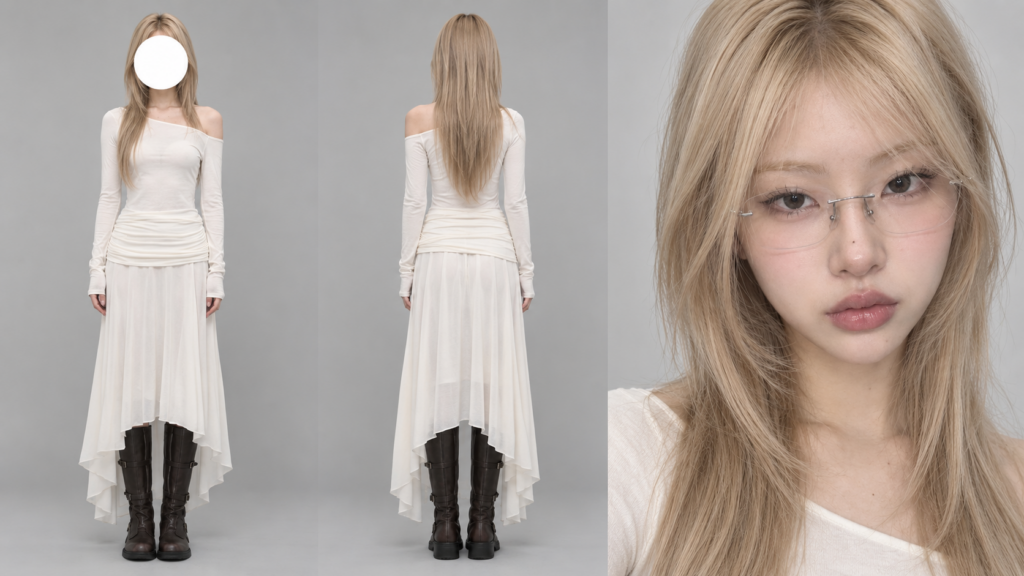
Film character sheet, highly realistic commercial studio photography.
Create three views of the exact same character, with the character's identity strictly based on the uploaded @Image1.
Keep exactly the same:
facial features,
face shape,
skin tone,
hairstyle,
hair color,
body proportions,
age,
overall presence.
[Add the character's outfit here, for example:
a fitted black leather jacket,
a white fitted tank top,
low-rise black trousers,
black knee-high boots.]
[Add the character's makeup here, for example:
natural base makeup,
a light blush,
natural eye makeup,
thin black eyeliner,
natural lashes,
glossy nude-pink lips.]
The three views are arranged side by side on a seamless neutral gray #B8B8B8 studio backdrop:
All views must be exactly the same person.
The outfit, hairstyle, makeup, accessories and proportions must stay exactly the same.
No plastic AI look.
No excessive skin smoothing.
No AI gloss.
[Full-body front]
The person stands naturally upright,
body facing the camera,
head level,
hands relaxed at the sides.
The person must appear fully in frame from head to toe.
In the very center of the face, place a:
pure white,
completely opaque,
circular mask with clean, sharp edges.
The white circle must completely cover:
the whole face from forehead to chin,
like an anonymous model Casting Photo.
[Full-body back]
The person faces completely away from the camera.
Fully in frame from head to toe.
Keep exactly the same as the front view:
outfit,
hairstyle,
body proportions,
accessories.
[Face close-up]
Create an extreme close-up portrait of the character from the front.
The person looks directly into the camera.
a clear gaze,
realistic skin texture,
natural pores,
natural lip texture,
real eyelashes and eyebrows.
No heavy retouching.
[Lighting]
Soft, even commercial studio lighting.
Natural, soft light falloff.
A clean commercial catalog photography look.
Clear fabric details.
Accurately preserve the character's:
face,
body shape,
outfit,
hairstyle and proportions.
Download the Depth Video
Prepare a video of the movement you want the character to copy, or simply download the depth video below.
For example:
- Running
- Jumping
- Turning
- Fight moves
- Dancing
- Special Camera Movement
- Movie character actions
Process the video with a seedance model into a depth video.
What matters in this video isn't how the person in it looks but: the movement, poses, speed, body trajectory and camera motion. The AI will then use it as the motion reference.
Open the JifChat node canvas
Open (https://chat.jif.dev/canvas/new).
Put these two assets on the Canvas:
@Image1
The Character Sheet / character reference image you just generated
@Video1
The Depth Video / motion reference video you prepared
Add a video generator
On the Canvas:
Click "+"
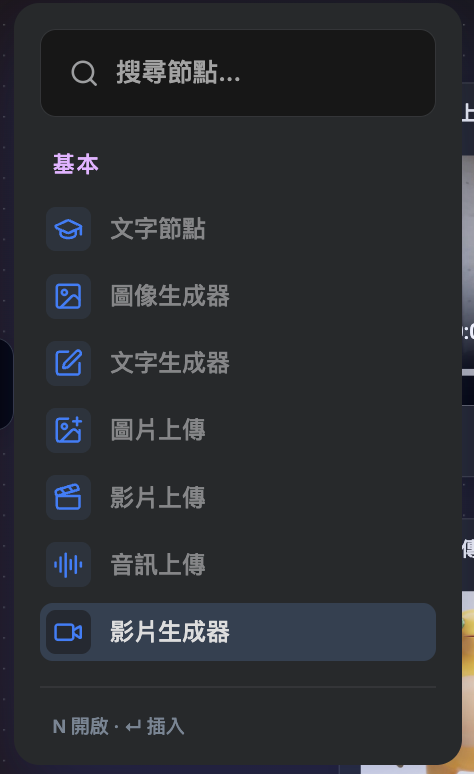
→ Choose Video Generator
→ Choose the model:
Seedance 2.5 Reference To Video
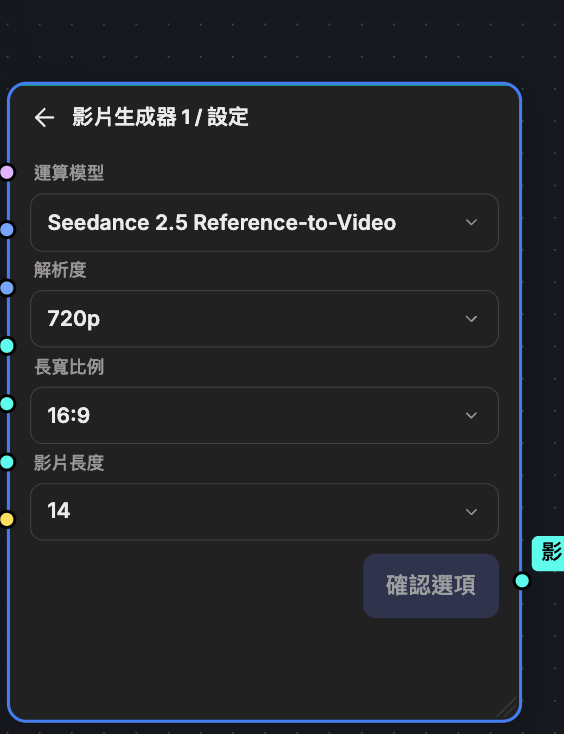
Set the output the way you want:
Duration
Choose the video length.
For example:
5 seconds / 8 seconds / 10 seconds
Adjust it to match the length and content of your Depth Video.
Size
For example, choose:
16:9
If it's for:
TikTok / Reels / Shorts
you can use:
9:16
Add the Character Sheet + Depth Video
Make sure the generator has picked up:
@Image1 | Character Sheet
and:
@Video1 | Depth Video
This step is important.
The character's appearance is mainly controlled by @Image1.
The person's:
movements,
Body Movement,
Pose,
movement speed,
Movement Timing
are mainly controlled by @Video1.
Enter the video prompt
Say we want the character to:
follow the movement in the Depth Video,
jump off a Hong Kong skyscraper,
then swing between the towers using webs shot from the wrists.
You can enter:
All of the person's movements, body motion, poses, speed, rhythm of motion and movement timing must be based entirely on the provided @Video1.
Reference only the movement and motion of @Video1.
Ignore @Video1's original black-and-white visual style, the person's appearance, the clothing and the setting.
The person's identity is strictly based on @Image1.
Fully keep the character in @Image1's:
facial features,
face shape,
hairstyle,
hair color,
skin tone,
body proportions,
outfit,
makeup,
accessories.
Do not change the character's identity.
Do not redesign the outfit.
Do not change the hairstyle.
Set the scene in downtown Hong Kong.
Surrounded by dense Hong Kong skyscrapers, high-rise commercial buildings, city streets and a real Hong Kong urban environment.
The character jumps off a tall skyscraper.
Keep the same as in @Video1:
jumping motion,
body pose,
movement in the air,
speed,
shifts in center of gravity.
Then the character shoots webs from the wrists.
The webs attach naturally to the surrounding skyscrapers.
The character uses the webs to swing at high speed between Hong Kong's towers.
The movement must stay smooth, with a sense of weight, and follow realistic physics.
Clothes and hair are naturally affected by the high-speed movement and the wind.
The whole image is highly realistic.
A cinematic action sequence.
A real Hong Kong city environment.
Natural daylight.
Realistic Motion Blur.
Realistic physics.
No cartoon style.
Do not change the person's identity.
Do not change the person's outfit.
No background music.
city ambience,
high-altitude wind,
the rush of air from the jump,
the sound of webs shooting,
the sound of webs pulling tight,
the sound of high-speed swinging,
the sound of clothes blowing in the wind.
Generate the video
Check that:
The character reference image is correct
The Depth Video is correct
Seedance 2.5
The video length is correct
The size is correct
Then click:
Run / Generate, and you're done!
The most important logic
The whole Workflow is actually very simple:
Character Sheet
→ controls the character's look and styling
Depth Video
→ controls the character's movement
Prompt
→ controls the scene, story and action
Seedance 2.5
→ combines all three into a complete video
So instead of describing the character from scratch every time, make one clear Character Sheet first.
After that, you only need to:
swap the Depth Video
swap the scene prompt
and the same character can perform completely different movements in completely different scenes.